
Oyster HR EOR Expert Review [2026]: Features & Competitors
Oyster HR, headquartered in the UK, is a global EOR and one of Europe’s largest EOR providers.


Table of Contents
Founded in 2020, Oyster HR has built its reputation around ethical and compliant global hiring as a global Employer of Record platform. The platform helps businesses to engage contractors and employees in more than 100 countries.
While Deel focuses on automation, Oyster takes a compliance-first approach: Its contractor solution is intentionally built conservatively to protect clients from misclassification risk and tax exposure.
For smaller teams and startups, Oyster offers a 30-day free trial, allowing you to onboard any pay your first contractor for free. This makes it one of the few platforms where you can actually fully test live contractor workflows before paying any fees.
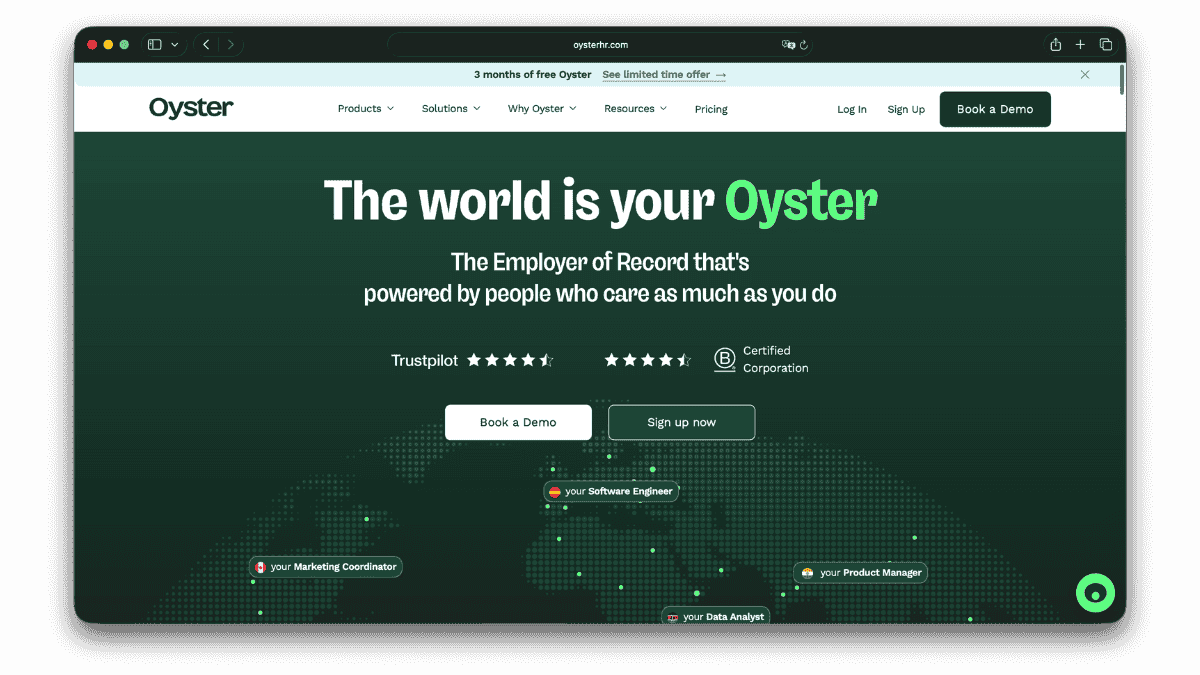

Key Features & Services of Oyster HR
Global Employer of Record (EOR)
Oyster offers an employer of record services for you to hire full time employees without the need to set up entities abroad. They offer employment in more than 120 countries and process the payroll in more than 140 currencies. The services include expenses. Time-off, and on- and offboarding.
Included in the EOR service:
- Full legal employment contracts and compliant onboarding
- Payroll processing, payslips, tax filings and statutory deductions
- Time off management and expense reimbursements
- Offboarding and termination guidelines
- IP protection and confidentiality agreements
Oyster also provides optional add-ons to enhance support:
- Benefits Packages: Country specific health and pension plans to offer employees
- Visa & Mobility Support: Global visa sponsorship and relocation support for some countries
- Salary Insights & Benchmarking: Compensation benchmarking tools to help companies set fair, competitive salaries, based on local market data
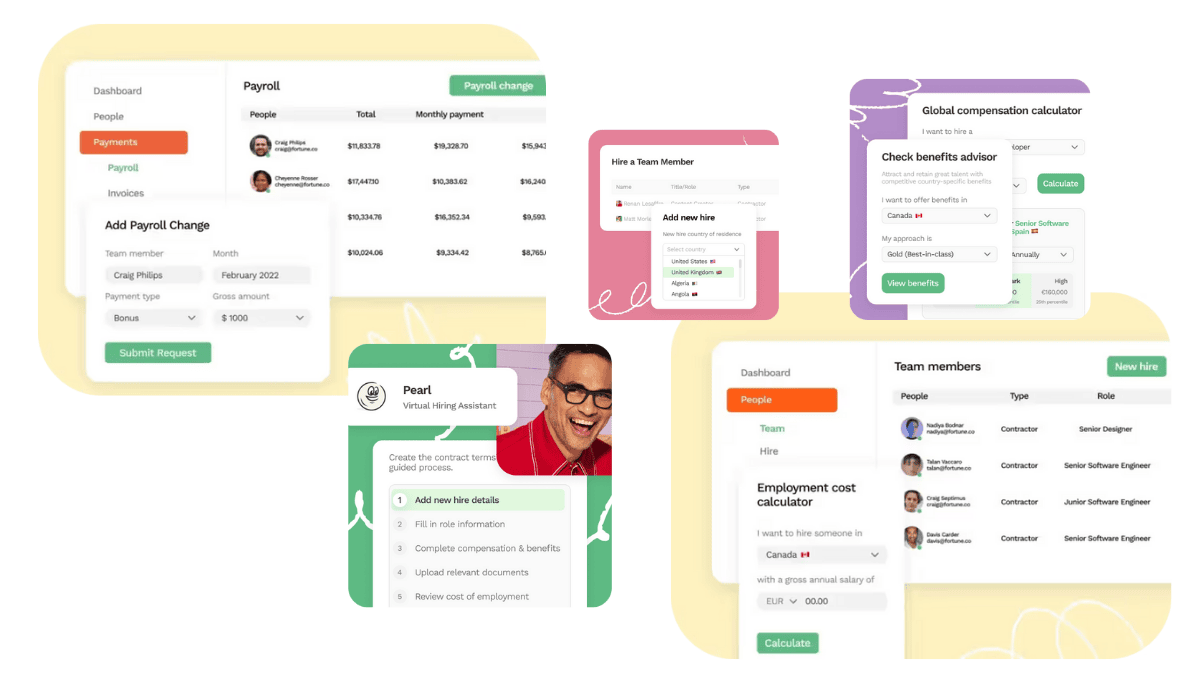
Global Payroll
Oysters offers global payroll outsourcing services for more than 30 countries for companies that already have their own legal entities abroad but want to centralise payroll operations in a single Oyster platform. This service is different from Oyster EOR, as Oyster does not act as the employer but only processes the payroll for your international employees under your existing entity.
Included in the Global Payroll service:
- End to end payroll processing across multiple countries
- Automated calculations for salaries, taxes, employer contributions and deductions
- Localized compliance based on local labour laws and tax laws
- Centralized reporting and audit logs for support finance and accounting teams
Global Contractor Management
The contractor management plan includes contract templates, automated invoicing, and global payment for more than 120 currencies. Two models are available: Fixed Rate for ongoing monthly engagements and Pay-As-You-Go for ad hoc or one-off invoices. Unlike the competition, Oyster HR does not support milestone payments, keeping its system simple but less suited for complex, multi-stage projects.
Oyster’s compliance logic also enforces local limitations based on jurisdiction. In countries like the United Kingdom, France or Germany the system automatically caps contractor engagements. For example, in the UK, a single contractor can only be contracted for 60 days before Oyster HR suggests to use an EOR service instead. These restrictions might seem rigid but reflect Oyster HR’s deliberate focus on staying compliant with all labor regulations.
Oyster Shell
Oyster also offers Oyster Shell, which is a misclassification protection add-on that covers up to 50,000 USD per claim. Oyster Shell covers legal fees, penalties, tax liabilities, and settlements in case of misclassification cases. It is available only when Oyster’s standard contracts are being used and functions similar to Deel Premium but with twice the coverage limit.
Overview of Oyster Pricing
Expenses: Any expenses that are approved for employee must be paid fully
Payment Terms: Invoices are due within 7 days (net).
Late Payment Fees: 1.5% per day interest.
Security Deposit: minimum one month of total employment costs
- Oyster may request additional deposit if risks increase
- Deposit is held until the employment fully ends
- Deposits are refunded only after termination and once all invoices are settled
Currency Exchange Fees (FX Spread): Oyster HR doesn’t disclose the FX markup rates applied but we estimate them to be up to 8%.
Taxes: VAT or GST is not applicable.
$699
Ø per employee per month (first year)$29
per employee per month$109
per employee per month$29
per employee per month1 month
minimum one month of total employment costs. Oyster may request additional deposit if risks increase.1.5%
1.5% per day interest
How Oyster HR Is Scoring
Oyster is a compliance-first, UX-driven EOR with clear workflows and stable payroll execution. It is well suited for risk-averse teams that value structure, documentation, and predictable processes over speed or deep customisation.
4.2 /5.0
✓ Broad global coverage across core hiring markets
✓ Consistent EOR and contractor services
✓ Strong local compliance guardrails
✓ Focused add-ons that strengthen compliance and employee experience
✗ Limited flexibility in edge-case or non-standard setups
✗ Less depth in highly complex or regulated niche markets
✗ No broad marketplace of add-ons compared to tech-first platforms
4.0 /5.0
✓ Clear, predictable pricing structure
✓ Transparent employer cost visibility
✓ No aggressive upselling
✗ Less flexible pricing for bespoke or enterprise needs
✗ Fewer optional pricing configurations than competitors
4.0 /5.0
✓ Strong IP protection and confidentiality clauses
✓ Highly standardised, jurisdiction-ready contract templates
✓ Compliance-first contract governance
✗ Template-based approach limits flexibility
✗ Liability caps are conservative
✗ Termination continues until full offboarding is completed, which can extend costs
4.0 /5.0
✓ Clear, guided onboarding experience
✓ Strong documentation and legal guidance
✓ Detail-oriented support, especially on compliance topics
✗ Onboarding speed can be slower due to strict checks
✗ Responsiveness can vary by country
4.5 /5.0
✓ Exceptionally clean and intuitive UI
✓ Compliance-first workflows reduce risk
✓ Strong core HRIS functionality (leave, expenses, invoicing)
✗ Fewer integrations than Deel or Remote
✗ Less automation for high-volume or complex workflows
4.3 /5.0
Oyster Contract Terms
In order to work with Oyster HR, you are required to agree with their EOR service agreement.
Under the EOR mode, Oyster acts as the employee’s employer, but you are still carry some legal obligations including:
- Providing accurate employee/contractor data
- Funding payroll on time
- Respecting local labor laws in day-to-day management
- Avoiding unlawful instructions, discrimination, or unsafe work conditions
- Not firing or disciplining an employee directly as Oyster must handle this directly
- Avoiding actions that create permanent establishment risk
- Paying Oyster for all taxes, fees, expenses, and benefits owed
For contractors, Oyster only acts as a payment facilitator, not an employer. Oyster does not verify contractors performance, does not guarantee contractor classification and is not the employer of the contractor (this is not a contractor of record service). Oyster is solely responsible for the following:
- Helps generate contracts
- Collects payments
- Pays contractors in their chosen currency
- Runs some compliance checks
Invoice Cycle
Invoice Structure applies a two-invoice model that includes a pre-funding invoice and a settlement invoice. The pre-funding invoice is in the beginning of the month and includes estimated salaries, taxes, benefits and fees. Settlement invoice is usually issued the following month, that includes adjustments like bonuses, prorations and tax deltas. You must pay invoices even if you dispute a portion — undisputed amounts cannot be withheld.
Late Payments
If you pay late:
- Interest: 1.5% per day (or legal max)
- Oyster may pause service
- Oyster may request higher deposits
- Oyster can terminate the agreement for non-payment
IP Ownership & Confidentiality
All intellectual property created by an EOR employee is assigned fully to you and supported by Oyster’s legal structure to avoid co-employment risk. For contractors, you should define IP rights in the contract, but Oyster provides templates.
Both parties must protect sensitive and business information, notify the other in case of an accidental disclosure and limit access internally only to those who need it.
Termination Rules
Either party may terminate for convenience with 30 days’ notice. For breach with shorter notice so both parties can immediately terminate in case of insolvency, illegal activity, sanctions risk or non-payment. You must continue paying Oyster HR until every employee is legally terminated, which can take weeks depending on jurisdiction.
Liability Cap & Damages
Oyster limits its liability to the total fees paid in the previous 12 months. This means that if you pay Oyster $699/month for one employee, your maximum protection for all claims in a year is $8,388. Oyster does offer a higher liability cap for specific IP/data-related issues, but this only applies to those limited categories.
Comparison Liability risk cap
Most EOR liability caps like Oyster’s cover only a fraction of potential legal exposure. Employment disputes, wrongful termination claims, severance miscalculations, or tax penalties frequently exceed $50,000–$150,000. Therefore Oyster, Remote, and Rippling primarily limit their liability to subscription-level amounts. Deel is the only provider offering add-on insurance-level protection (Deel Premium).
Oyster is not responsible for:
- Loss of profits
- Business interruption
- Indirect or consequential damages
- Contractor errors or poor performance
- Permanent establishment creation
- Employee misconduct
- Local benefit cost increases
- Misclassification (unless explicitly covered)
Oyster’s Terms provide significant protection for Oyster and limited protection for you as the client.
Compared to Deel and Remote, Oyster has one of the strictest intellectual property protection frameworks. Employees must sign Oyster’s template for IP and confidentiality and deviations or custom clauses may void coverage, including Oyster Shell protection. For companies that want airtight IP, this is a plus, but it reduces flexibility.
| Provider | Standard Liability Cap | Special / Higher Caps | Notes |
| Oyster | Annual fees paid in last 12 months | Higher cap for IP/data issues only | Very low ceiling for employment risks |
| Remote | Annual fees paid | 5× cap for data/IP | Stronger on data/IP, weak on employment |
| Deel | Annual fees OR contractually agreed amount | Deel Premium: $25k–$250k protection | Best for misclassification protection |
| Rippling | Fees paid in last 18 months | Limited categories | Slightly higher due to 18-month period |
Step-by-Step Setup Process of Oyster HR
Oyster’s product team focuses on clarity, compliance and simplicity. The platform is not packed with advanced automation or AI, but is instead focused on transparency and user control.
Sign-Up & Account Setup
Getting started on Oyster takes only a few minutes: Users create a company profile with their email address, company information and agree to Oyster’s terms and conditions. This open access approach helps them stand out from competitors as not all platforms give access without signing commercial contracts.
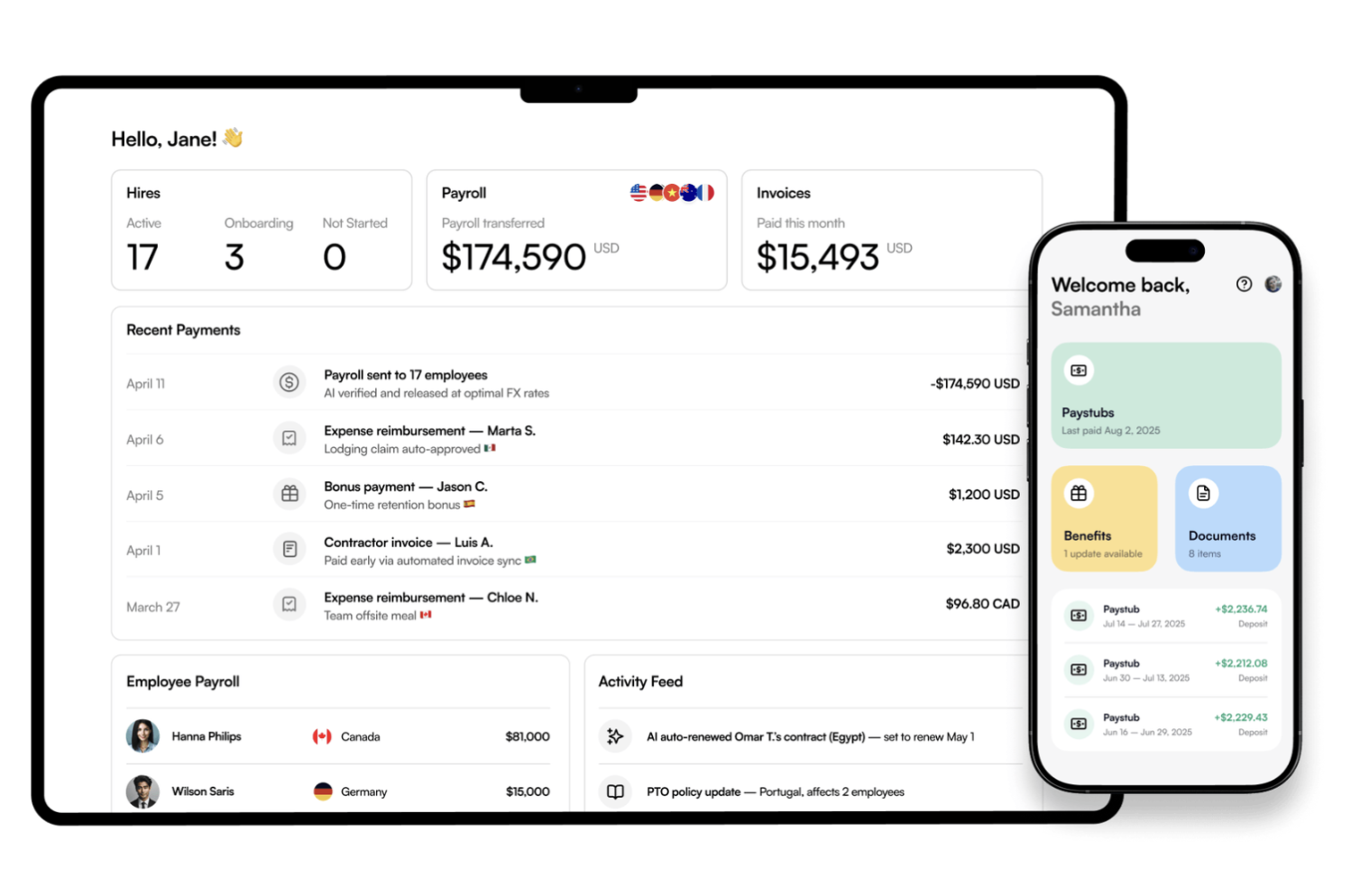
Contractor & Employee Onboarding
Once inside the dashboard, the first step is to submit a hiring form including job title, pay rate, start data and specification as to whether contractors are allowed to submit expenses. Oyster’s compliance engine reviews the data within one or two business days to make sure everything is legally compliant. The company then reaches out to the contractor to receive their information on taxes, ID and bank details before any contract is signed.
Oyster automatically drafts all relevant agreements like the Service Agreement, IP Agreement or employment agreements (for EOR services). Customers can also bring their own contract, use Oyster’s customizable template or generate an out-of-the-box contract (this being a requirement for Shell insurance).
Oyster also has a smart contract builder including, for example, pre-filled jurisdiction-specific clauses for intellectual property, taxes or termination. While Oyster offers less flexibility than providers like Deel the contract ensures full compliance
Both client and contract can review and sign the contract on platform and after five to seven business days, the onboarding process is usually completed.

Payments, Payroll & Invoicing
Oyster uses integrated providers like Wise and Payoneer for contractor payments. Clients can set fixed monthly payments and approve invoices manually under a pay-as-you-go model. Each cycle follows the following payment cycle for EOR employees and contractors:
- Before cut-off: Review and adjust invoices or payroll figures
- Around the 11th of month: Client receives a pre-funding invoice estimating total payroll cost
- At the beginning of the next month: Client receives a settlement invoice showing final costs and adjustment
This two-step system is slower than Deel’s instant payouts, but provides unmatched transparency, accuracy and compliance control.
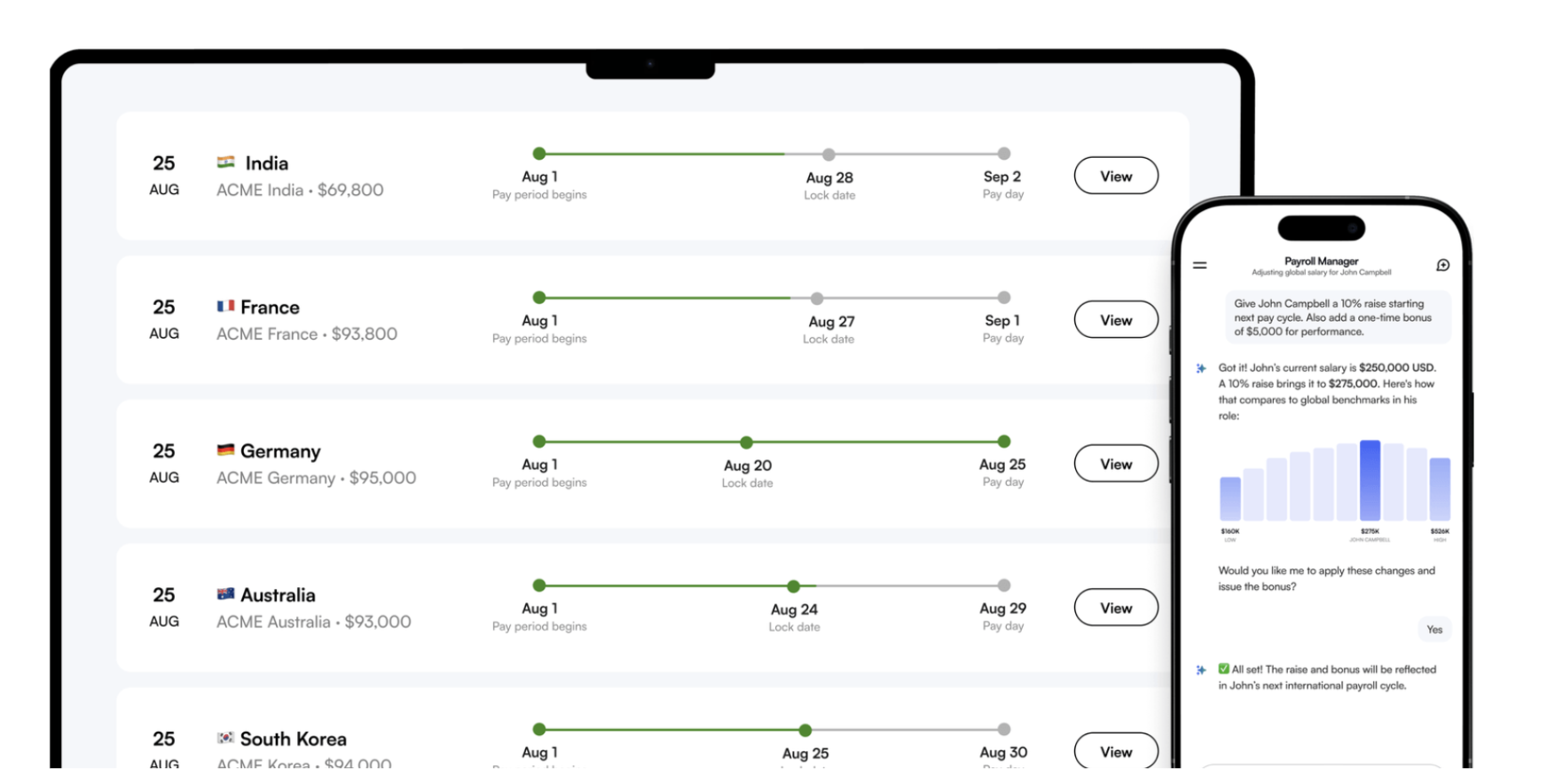
Optional Oyster Add-Ons
After contract generation, users can add additional benefits like equipment, co-working memberships, equity plans and background checks. Oyster also guides the user which benefits can actually be offered without risking misclassification of contractors.
Oyster HR’s Additional Features
Dashboard, Design & User Experience
Oyster’s platform stands out for its clean, minimalistic, and highly intuitive interface. The clean white design makes it easy on the eye compared to many flashy EOR providers products. Unlike many platforms that cluster dozens of steps under one menu, Oyster spreads them across a well-organized sidebar. This makes every task (from hiring to invoicing) accessible in one click and significantly reduces navigation friction. The dashboard immediately surfaces the most important actions with a “Before You Hire” progress checklist during onboarding. This makes it clear what needs to be completed before you onboard your first contractor or employee.
The home screen also features built-in tools like cost calculator, country guides, salary insights, and global salary converter allowing teams to make hiring decisions without leaving the platform.
A global heatmap shows where team members are hired, along with the status of pending hires. The design prioritizes clarity, compliance, and visibility rather than automation-heavy workflows.
Overall, Oyster’s UI is one of the most user-friendly among EOR providers and is ideal for teams that value simplicity and transparency.
Spend Management & Expenses
In case your employees have expenses, Oyster needs to know, as they are the ones reimbursing the employees. Oyster includes an integrated expense system that allows EOR employees to submit reimbursements directly within the platform. Employees upload receipts, enter descriptions, and submit expenses for approval. The designated approver can then see the expense report and approve or reject. Once approved, Oyster reimburses the employee automatically through payroll.
What’s included:
- Receipt uploads (PDF / image formats)
- Employer approval workflow
- Employer can submit expense on behalf of employee
- Automatic reimbursement via monthly payroll
- Expense visibility in the payroll cycle and invoices
- Integrations with Zapier, Expensify and SAP Concur
Limitations:
- No mileage tracking
- No spend cards or virtual cards
- No multi-step approval chains
- No ERP sync for expenses
This means companies using existing expense software must maintain dual workflows (internal + Oyster), which can increase manual work for finance teams
| Feature | Oyster | Deel | Oyster | Remote | Papaya |
| Expense uploads | ✔ | ✔ | ✔ | ✔ | ✔ |
| Payroll reimbursement | ✔ | ✔ | ✔ | ✔ | ✔ |
| Concur / Expensify integration | ✔ (Zapier, Expensify + Concur) | ✔ | ✔ | ❌ | ❌ |
| Expense automations | Limited | ✔ | Limited | ❌ | ❌ |
| Accounting/ERP sync | ✔ (NetSuite, Xero, QBO) | ✔ | ✔ | ✔ | ✔ |
| Spend cards | ❌ | ✔ | ❌ | ❌ | ❌ |
| Multi-country policy rules | Limited | ✔ | Limited | ❌ | ❌ |
Time-Off & Leave Management
Also EOR employees need to take vacation at one point. We can tell you that multi-country leave can get complex fast as every country has different policies. For some countries, leave days do even impact payroll.
For instance, in France employers must pay a (% surcharge on holiday pay or in Norway sick leave is paid by the government after 16 days. Oyster must know all of this to calculate salary correctly. That is why Oyster has created their own leave management system designed primarily to ensure statutory compliance across countries. Employees can submit time-off requests, and managers approve them inside the portal.
What it supports:
- Statutory leave rules per country
- Single approver
- Leave reporting
- Option for unlimited PTO policies
- Employee self-service for time-off requests
What’s missing vs other EORs:
- No multi-step approval workflows
- No custom leave types beyond basic PTO/sick leave
- No calendar integrations
- No country-specific policy customization beyond statutory minimums
For teams with simple PTO processes, it works well. For large enterprises or companies standardizing policies globally, it is limited.
| Feature | Oyster | Deel | Remote | Papaya |
| Statutory compliance | ✔ | ✔ | ✔ | ✔ |
| Custom leave policies | ✔ (country + company + unlimited PTO) | ✔ | Limited | Limited |
| HRIS syncing | ✔ (Workday, Personio, Hibob, ADP etc.) | ✔ | ✔ | Limited |
| Calendar integration | ✔ | ✔ | ❌ | ❌ |
| Multi-step approvals | ✔ | ✔ | ❌ | ❌ |
| Employee self-service | ✔ | ✔ | ✔ | ✔ |
| Manager approvals | ✔ | ✔ | ✔ | ✔ |
Compliance Engine & Risk Controls
Oyster values data protection and compliance. They confirm compliance with major global privacy laws:
- GDPR / UK-GDPR
- LGPD (Brazil)
- CCPA & CPRA (California)
- Data Privacy Framework (EU -> US transfers)
Customer data is handled according to:
- Oyster’s Privacy Policy
- Oyster’s Data Processing Addendum
You must also comply with all relevant privacy regulations as a client.
Oyster takes a strict, compliance-first approach, offering several built-in tools that help companies stay aligned with local employment laws across 180+ countries on their platform.
Compliance Checker (HRIS-Powered Scan)
Oyster can connect to your HRIS like BambooHR to automatically scan employee data for potential compliance risks. Once connected, Oyster reviews the employee records against its local employment rules database to highlight potential compliance gaps. It flags issues like incorrect leave allowances, minimum wage mismatches, or missing documentation and generates a country-specific compliance report. This feature is unique among other EOR providers and it gives teams early alerts before a regulator might raise an issue.
Misclassification Analyser
This guided questionnaire assesses whether a worker should legally be classified as a contractor or an employee. It uses jurisdiction-specific logic and provides “expert tips” to reduce misclassification risk, especially useful when paired with Oyster Shell protection. This is quite a common tool in the industry that is offered by most EOR providers.
Employment Terms Comparator
Oyster includes a built-in benchmarking tool that lets teams compare statutory employment terms between countries. It is quiet a basic tool but can be very useful to compare terms like vacation days, probation periods, termination rules or sick leaves across countries. This can be useful also before you make hiring decisions.
Onboarding Compliance Guardrails
During both contractor and EOR onboarding, Oyster enforces local legal requirements by:
- auto-generating compliant contracts
- validating eligibility
- applying required clauses (IP, termination, confidentiality)
- preventing risky or non-standard contract setups
Further, Oyster displays compliance-related reminders and required actions directly in the left-side menu, making it easy to catch issues early without digging through complex menus.
Integrations & Automations
Oyster integration is dependable and compliance first. While Oyster might focus on 19 integrations only, they do integrate with the most important ones and focus on a deep level of integrations. While some competitors have limited integration with expense management tools, Oyster integrates with Expensify and Cocu and also provides further automation and notification layers with Zapier and Slack.
Oyster’s HRIS and ATS integrations for the backbone of its platform. Connections with ADP Workforce Now, TriNet, Workday, Personio, HiBob and BambooHR allow companies to synchronize key employees across systems. Integrations with Ashby, BambooHR ATS, and Greenhouse make it possible to transition candidates directly into new team members once a hire is approved, while Okta enables single sign-on access for identity management.
Across all supported HRIS systems, the integration logic follows a consistent pull pattern: when a team member’s information is created or modified in the company’s HR system, the data is automatically synced to Oyster. This ensures that hiring, salary adjustments, and termination are reflected without manual inputs into oyster. This means, updates made Workday or Personio like job titles, or compensation changes trigger an automated workflow inside Oyster. The system creates a draft contract amendment or employment update for the admin to review and confirm. Termination data entered in the HRIS also creates pre-populated onboarding requests in Oyster to be finalized.
Workday integration expands this automation further. Once connected, administrators can enable time-off integration that automatically pulls and synchronisation requests between Workday and Oyster. The integration also handles updates such as approvals and rejections automatically, and even if the connection is paused, Oyster reconciles any missed requests upon reactivation to maintain consistency.
In addition, Workday contract change integration automates employment amendments. So when salary or job titles are changed in Workday, Oyster automatically generates a contract amendment for review.
ADP Workforce Now offers similar integration depth. When connected, it allows companies to use onboarding template codes to ensure new EOR employees or contractors are created in ADP automatically after being hired in Oyster.
The HiBob integration provides another example of automation in action. When an employee submits or updates a leave request in Hibob, the information is automatically mirrored in oyster. Administration can map specific leave categories between both systems, ensuring vacation, sick leave or unpaid time are proceeded correctly. Once the integration is active , Oyster removes the “internal time off” button, ensuring all absences/requests originate from HiBob, while maintaining real-time accuracy in payroll.
Taken together, all integrations Oyster enables are with high focus on compliance. Instead of replacing existing systems, it connects seamlessly with them ensuring that any changes made in HR stay aligned with Payroll and legal records worldwide.
Oyster’s finance integrations are built to take the last steps of global payroll like invoices, contractor bulls, EOR changes and drop straight into your accounting systems without you re-entering anything. Out of the box, Oyster connects to NetSuite, Xero and QuickBooks Online. Oyster pushes approved invoices to the systems as draft bills. Each line item on the invoice (like base salary, employer contributions, fees)can be mapped to the right account. When you want to connect to those systems, you would need to follow only three basic steps: select the right vendor in Oyster, confirm which contractors or employees you want to send and set a default account.
The syncs run automatically once per approval cycle in near real time after invoice approval. Data flow is one.way (push only) so from Oyster to the ERP, and no payment statuses are pushed back.
Admins can map by center and tracking category, so expenses flow to the right department automatically.
If sync errors occur, Oyster logs them in the alters tab, showing the cause for instance unmapped accounts or unlinked vendors. This allows immediate retry after correction and no data is lost.
Overall, Oyster’s ERP integration is stable, accurate and finance-grade offering reliable one-way synchronisation, strong error handling and minimal setup overhead.
Oyster integrates with Zapier, Expensify and SAP Concur to automate expense reimbursements though payroll.
For Expensify, approved expenses reports are automatically pulled by Oyster every day at 3:00 UTC, ready for reimbursements in the next payroll cycle. After the integration is enabled, team members no longer submit expenses directly within Oyster as Expensify becomes the sole system of records for expense management. This workflow ensures a single approval chain and eliminates double entry. It also accommodates multiple currencies by allowing each team member to be assigned to an Expensify policy in tejir respective payment currency. Receipts must meet strict visibility and validates requirements before syncing providing an additional compliance layer for multiple organizations.
The Concur integration functions similarly, transferring approved expenses to Oyster’s payroll for reimbursement. Together, these connections give companies a consolidated and audible view of global expense data while automating the reimbursement process within a single payroll framework.
Oyster exposes a customer API you can use to read and write core employment data to the system. Typical use cases are syncing team member records to your HRIS or data warehouse, kicking off onboarding from your own system, updating changes, and creating and syncing time off. This is a classic pull/push setup: your system can pull employment data from Oyster and push updates (like a new hire) in Oyster. This provides you the highest level of flexibility. There is a sandbox, authentication is token-based, and oyster says the are adding endpoints over time so it is designed to sit behind internal tools or custom reporting without needing to click through the UI.
Oyster has a native Slack integration that simply pushes Oyster events into Slack, but does not sync any data back to Oyster. Once connected by your Oyster and Slack admins, all users in the Slack workspace get the Oyster app. Notifications are sent as private messages in Slack, and you can only choose one workspace per Oyster account. Then things like time off requests after approval, payroll cutoff reminders, onboarding events, contractor invoice statuses, contractor termination notices get pushed to Slack. This can be useful because it moves approvals and reminders out of email and reminds you of the most important events. Frequency is near real time: when an event happens in Oyster, it is published in Slack within seconds. If you do not use
Oyster also integrates with Zapier that is a great tool to automate further workflows. Zapier can listen to events in oyster like new employees, new time off requests, new invoices and pushes those to another app. For instance this can be used to create a calendar event, add a task, or update a sheet. This is a one-way flow from data coming from Oyster to any system that integrates with Zapier.
Pros & Cons of Oyster HR
Oyster is one of the only major EOR and contractor platforms that lets businesses fully test the contractor workflow for 30 days at no cost. You can onboard a real contractor, generate contracts, run payments, and experience the full system before paying any fees. This reduces risk for first-time users and makes Oyster especially attractive for startups or teams evaluating multiple providers.
Oyster stands out with one of the strictest compliance frameworks in the industry. Its workflows enforce jurisdiction-specific limits, IP clauses, minimum wage rules, and contractor thresholds automatically. This makes Oyster uniquely suited for companies with high risk sensitivity.
Oyster Shell provides misclassification protection that covers legal fees, penalties, taxes, and settlements at double the coverage typically offered in the industry. For risk-averse teams, this creates peace of mind when hiring contractors in difficult jurisdictions.
All employment and contractor agreements are wrapped in Oyster’s standardized IP protection. Although less flexible than competitors, the strict templates help ensure clean ownership transfer and reduce co-employment risk.
We tested a lot of platforms, and Oyster ended up being one of our favorites. Its design is modern, clean, and incredibly easy to use!
Beyond every action is logged, approval flows are transparent, and managers can navigate without training. The platform feels modern, predictable, and very “enterprise-safe.”
Contractor payments support fixed rate and pay-as-you-go billing only. Oyster does not support complex milestone structures, making it less suitable for project-based contracting teams.
Oyster provides contractor management but does not act as the legal employer/contractor of record. Companies needing full legal assumption (like Rippling COR or Deel AOR+COR) must use EOR instead.
Shell insurance only applies when using Oyster’s default contracts. Custom clauses or custom templates void coverage, which limits contract flexibility.
Although Oyster integrates well with HRIS and accounting tools, its ecosystem is smaller. Teams expecting expense syncs, advanced automation, or deep ERP flows may find Oyster restrictive.
Because Oyster performs detailed compliance checks for each hire, contractor onboarding takes longer than Deel or Remote — especially in restricted countries like UK, France, or Germany.
Who Is Oyster HR Best For
This visual highlights where this provider performs best across common buyer dimensions, based on Employsome’s independent, data-driven analysis. It reflects typical real-world usage patterns rather than marketing positioning.
Our Final Verdict on Oyster HR
Compare Oyster with Others





Written by
Courtney Pocock is a Copywriter & EOR/PEO Researcher at Employsome with 15+ years of experience writing for the HR, corporate, and financial sectors. She has a strong interest in global business expansion and Employer of Record / PEO topics, focusing on news that matters to business owners and decision-makers. Courtney covers industry updates, regulatory changes, and practical guides to help leaders navigate international hiring with confidence.
Our content is created for informational purposes only and is not intended to provide any legal, tax, accounting, or financial advice. Please obtain separate advice from industry-specific professionals who may better understand your business’s needs. Read our Editorial Guidelines for further information on how our content is created.